Accept a pull request
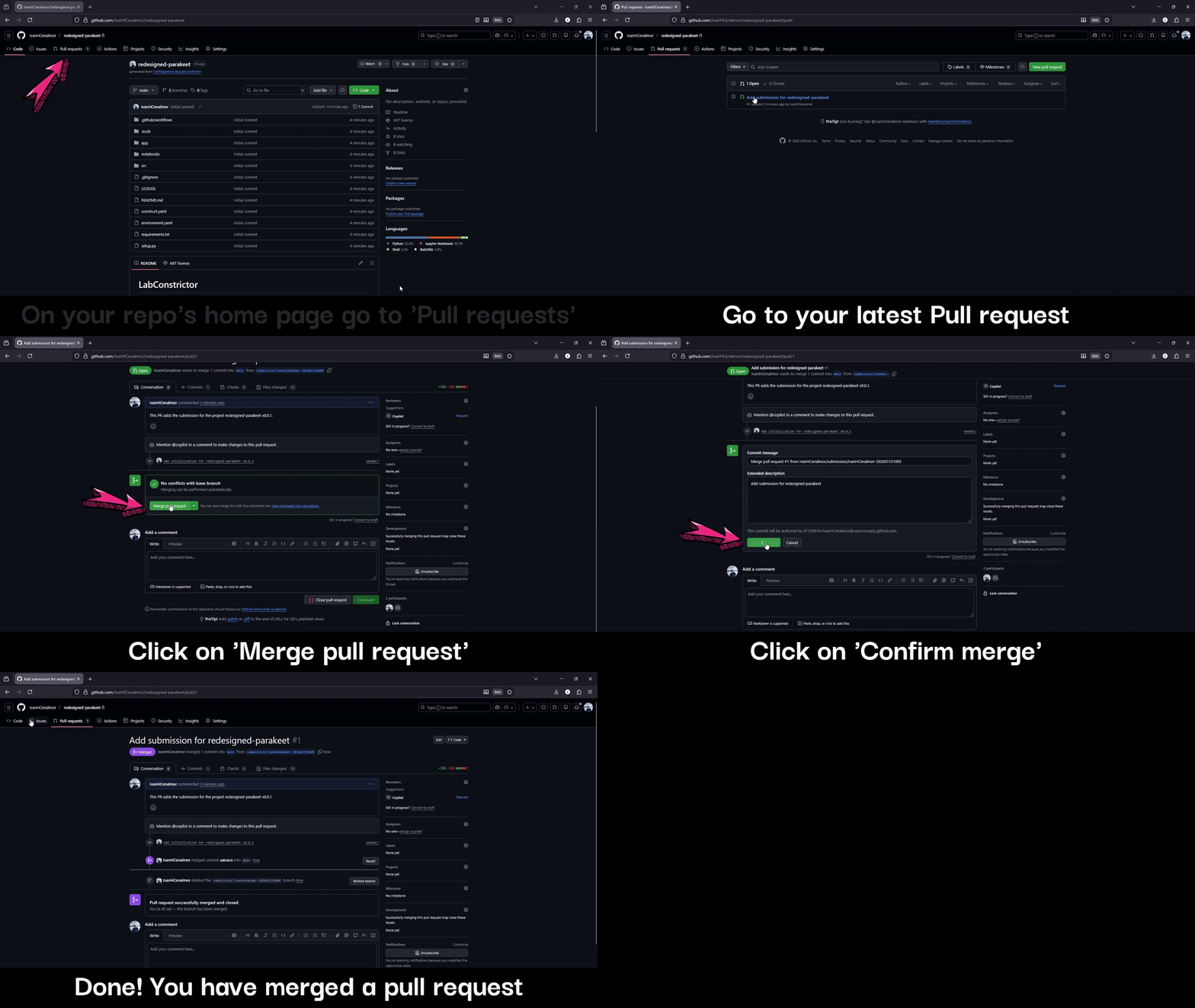
Follow these steps or watch the GIF at the end to learn how to accept a Pull Request (PR) on GitHub. LabConstrictor template updates are delivered this way after you complete the automatic synchronization setup.
1. Go to the Pull Requests tab
Go to the Pull Requests tab in your GitHub repository to see a list of all Pull Requests. You can refer to the screenshot below.

2. Select the Pull Request to review
The most recent Pull Request is usually at the top. Click its title to open and review it.
3. Merge the Pull Request
Click the green Merge pull request button, then click Confirm merge to complete the process.
4. Delete the branch (optional)
Once you have merged, you can delete the related branch by clicking the Delete branch button.