Use an app
Install an app on your computer, open it, and, for apps that declare tools, try them in napari, Fiji or QuPath (experimental).
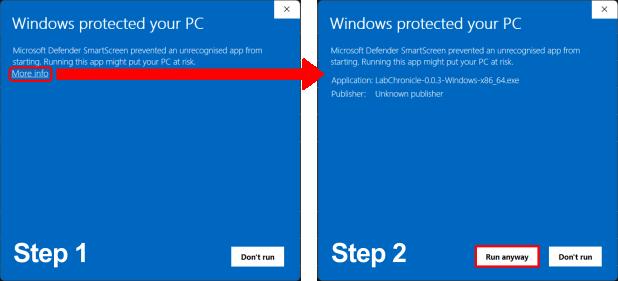
- Install itDownload the installer for your system. It takes a few minutes and you only do it once. Windows and macOS warn about unsigned installers; the guide shows how to continue.Install an app
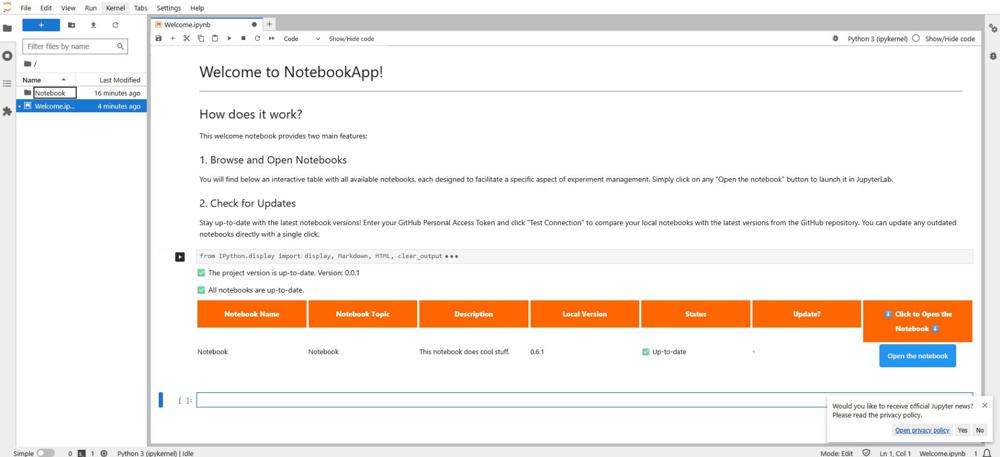
- Open it and workThe app opens in your browser with a Welcome notebook. Run its first cell to list the app's notebooks, pick one and follow the instructions written in it.Open and use an app
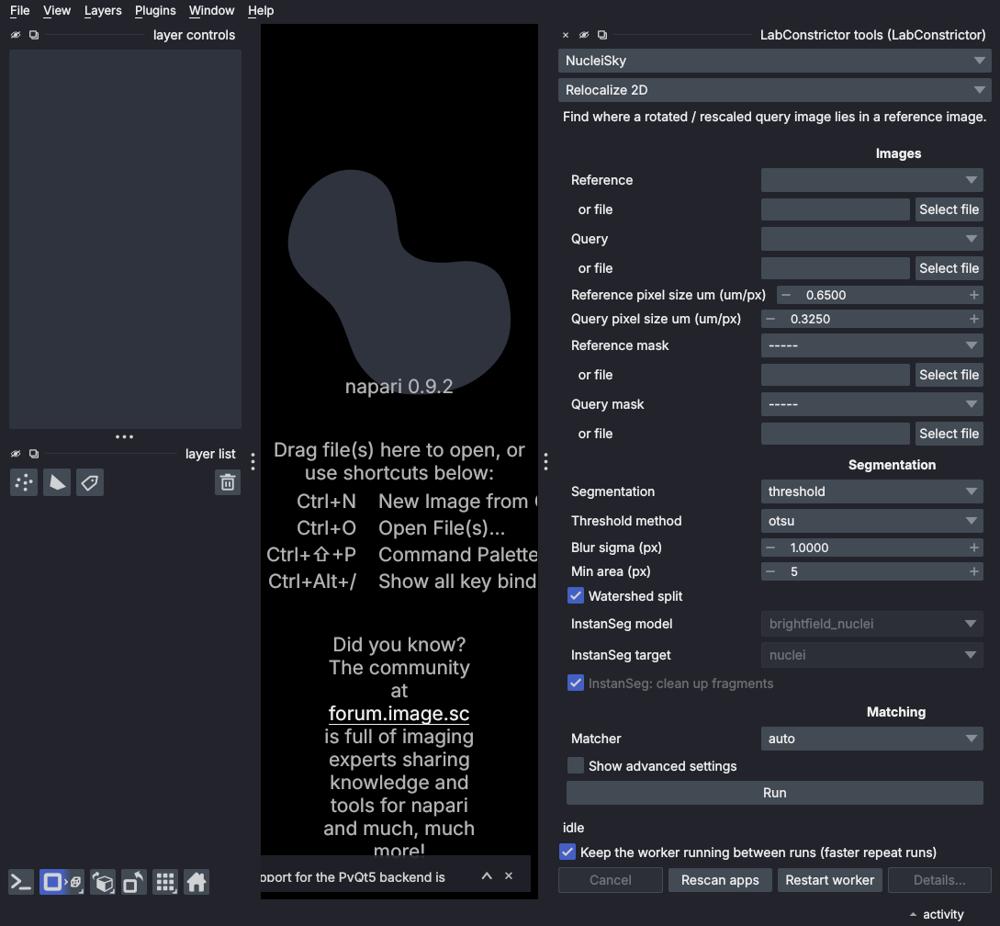
- Use it in your image software (experimental)An app's declared tools can run in napari, Fiji and QuPath through experimental plugins; this needs a development version of the template. The picture is a prototype.Use apps in your image software
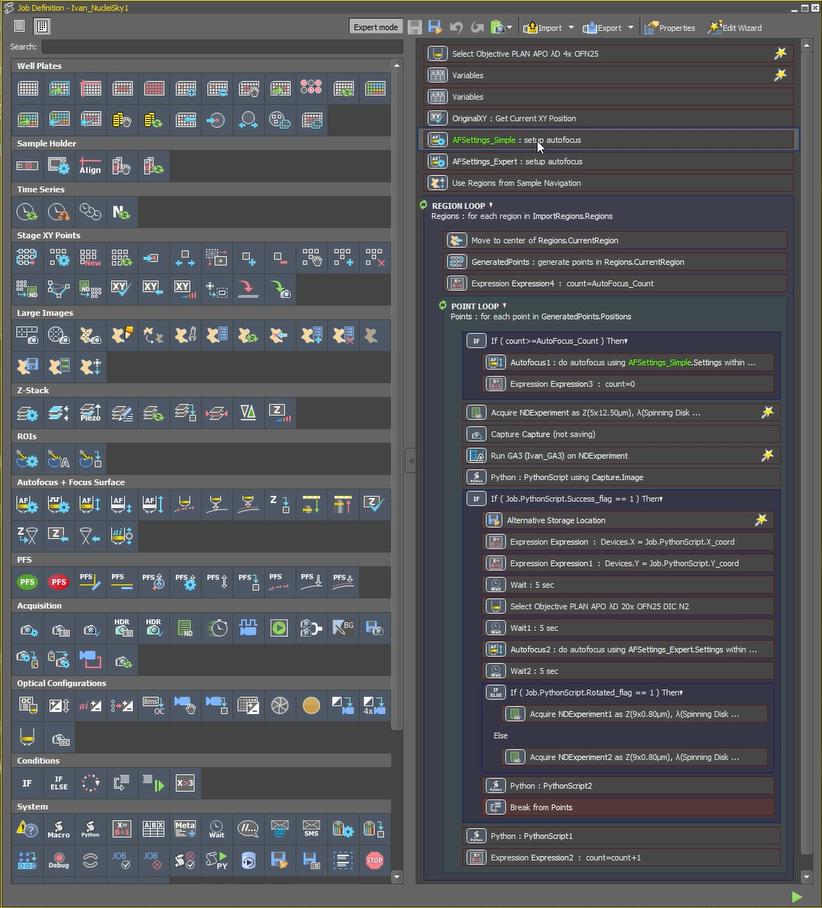
- Connect it to a microscopeAn example from NucleiSky, written by its authors for a Nikon microscope with NIS-Elements JOBS: scan a large area, find where a query image sits in it, then acquire there. Their guide says the same principles apply to other microscopes and software.Connect NucleiSky to a microscope
Want to see it first? A hands-on preview with example data: install an app on Windows, then open it in the notebook and in experimental napari and Fiji views. Try the demo